Best eSIM for New York During the World Cup 2026 (Final at MetLife)
MetLife Stadium in East Rutherford hosts the 2026 World Cup final on July 19, plus seven other matches. If you are flying in from Latin America, Europe, or Miami, a New York eSIM is the cheapest way to stay connected in the five boroughs and New Jersey. This guide covers the coverage, the right plan to pick, and which mistakes to avoid.
adminFox
New York is the main World Cup 2026 host city. MetLife Stadium in East Rutherford, New Jersey, hosts eight matches, including the final on July 19, 2026. For international fans flying in from Latin America, Europe, or Miami, a New York eSIM is the difference between a connected trip and a logistical mess. This guide explains which eSIM is the best eSIM for New York during the World Cup, how the coverage works, and which plan to pick.
If you are visiting only the United States, the best eSIM for the United States during the World Cup is covered in our US guide. If you are combining the US with Mexico or Canada, our regional eSIM guide covers the plan that works across all three countries with a single activation.
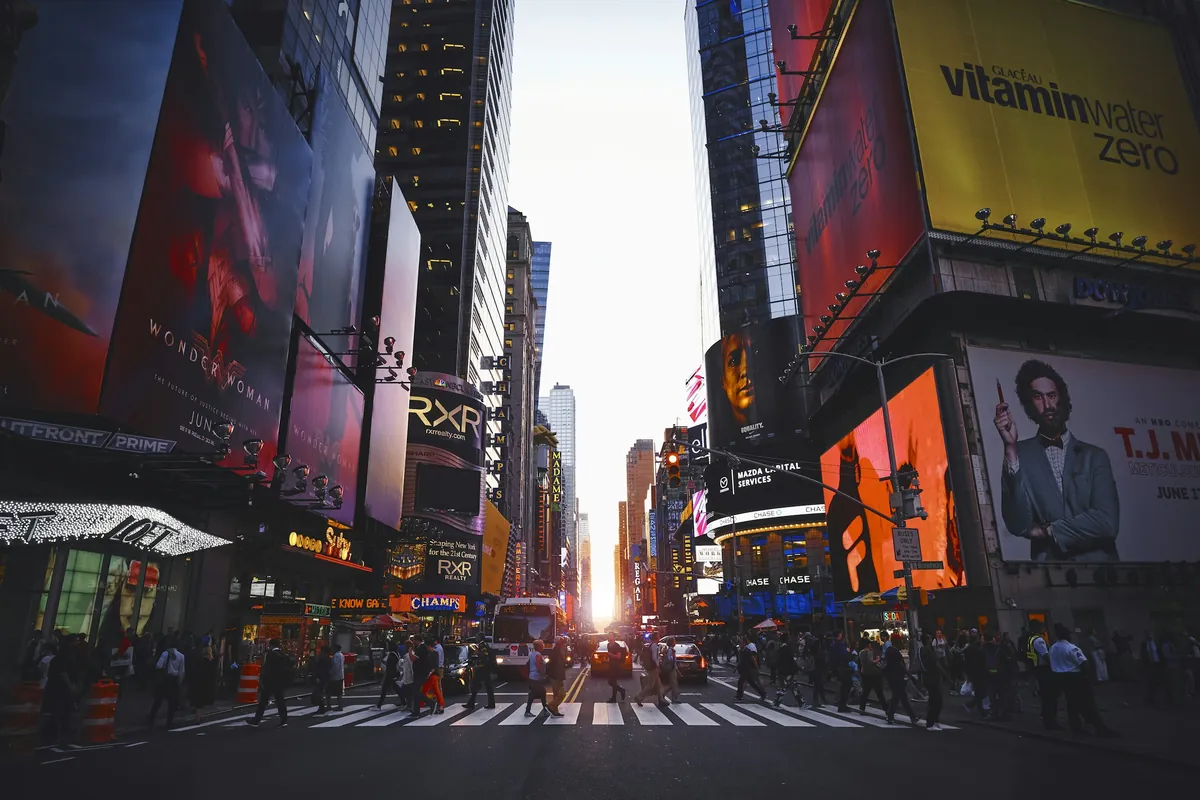
Manhattan and the East Rutherford skyline in one frame. MetLife Stadium is the venue for the 2026 World Cup final.
Why New York deserves its own eSIM guide
New York is a city that runs on phones. Subway navigation, ride-share apps, restaurant reservations, mobile ticket QR codes, and the constant stream of WhatsApp, Instagram, and TikTok add up fast. Most fans burn 4 to 6 GB per week in the metro without realizing it.
A New York eSIM connects to AT&T, T-Mobile, or Verizon within 90 seconds of landing at JFK, LaGuardia, or Newark. No kiosk, no paperwork, no surprise fees. It works in all five boroughs, in New Jersey (including the MetLife Stadium area), and in Connecticut for fans driving in from New England.
Coverage by neighborhood
The three carriers cover Manhattan, Brooklyn, and Queens with solid 4G and 5G. The differences show up in two concrete situations.
Neighborhood
Best carrier
Detail
Midtown Manhattan
Tie
All three carriers have dense 5G
Lower East Side
Verizon
Slightly better indoor coverage in older buildings
Brooklyn brownstones
T-Mobile
Better signal through brick walls
MetLife Stadium (NJ)
AT&T
Strongest in the bowl and parking lots
JFK and Newark
Tie
All three have full coverage indoors
The subway problem and how to handle it
The New York subway has cellular coverage in most stations, but the tunnels between stations lose signal. A New York eSIM does not solve the tunnel dead zones, but it does let Google Maps track your location on the surface and preload directions. The eSIM also helps the moment you come back up to street level, when ride-share apps need to know which exit you used.
MetLife Stadium in detail
MetLife is in New Jersey, across the Hudson. Your eSIM switches networks automatically when NJ Transit leaves Penn Station, and AT&T usually has the strongest signal inside the stadium. Do not expect stadium Wi-Fi to be usable. It is free, but it collapses when 80,000 fans upload the same goal video at the same time.
Times Square during the World Cup is the loudest free watch party in the country.
How much data you need for New York
Tournament trips to New York are the most data-intensive leg of the World Cup. Aim for the high end of the range, especially if you mix matches with work calls or live streaming.
1 GB / 7 days. Tight. Only if you are going to one match and relying on hotel Wi-Fi.
3 GB / 15 days. Enough for a two-match trip with light use.
5 GB / 30 days. The right plan for the full New York swing, including the MetLife matches.
10 GB / 30 days. For content creators and remote workers.
Unlimited / 30 days. For journalists and broadcast teams.
New York eSIM versus airport SIM
JFK, LaGuardia, and Newark have carrier kiosks. They are expensive, often run out of stock in busy weeks, and activation requires a US billing address. A New York eSIM eliminates all of that. You buy online before the flight, scan a QR code, and the eSIM auto-connects to the US network on landing.
The other option is roaming, which works in theory but is built for executives. A 1 GB roaming pass from a Spanish or Latin American operator often costs more than a 3 GB New York eSIM.
Activation and timing
Install the eSIM at home with Wi-Fi the day before you fly. The data clock does not start until the eSIM connects to the US network, so buying in advance wastes nothing. Set it up as a secondary line and keep your primary SIM active if you want to keep your number for SMS two-factor authentication.
Mistakes that cost money
Do not rely only on stadium Wi-Fi at MetLife. It is free, but it slows under match-day load and is often insecure. Do not leave your home operator's roaming as a "safety net"; a single Instagram autoplay video can rack up 30 USD. Do not buy a 1 GB plan expecting to stretch it across two weeks; you will run out of data on day three.
Install the eSIM at home with Wi-Fi before flying to New York. You will have data the moment you land.
Beyond the stadium: the city side of the trip
A World Cup trip to New York is not just eight matches at MetLife. The city has more free programming around the tournament than any other host city, including the official Fan Festival at Bryant Park with a 15,000 capacity, the FIFA Trophy Tour stop from June 5 to 15, and the USMNT open training sessions at Liberty State Park.
For the full city breakdown, including the match-day logistics for getting from Manhattan to MetLife on NJ Transit, the free events, the food scene, and the pre-trip checklist, our guide on things to do in New York during the World Cup covers everything in detail. The guide is written specifically for international fans, with prices in USD and practical tips on which neighborhoods to stay in.
Pre-trip checklist
Verify your phone is unlocked and eSIM-compatible.
Buy a New York eSIM with the right data size for the number of matches you are watching.
Install it at home with Wi-Fi the day before you fly.
Save offline maps of Manhattan, Brooklyn, and the MetLife Stadium area in Google Maps.
Download the NJ Transit app for match-day train schedules.
Keep your primary line active for SMS two-factor authentication on banking apps.
New York is the busiest and best-connected host city of the 2026 World Cup. A reliable New York eSIM is the difference between watching the match on a phone that works and spending the second half looking for signal. Spend your time at the stadium, on the subway, and in the city, not in airport kiosk queues.